Record crypto signals. Review what happened afterward.
Class A QuantFlow is a local Windows app for recording crypto signals, market notes, and trade ideas, then reviewing outcomes afterward — without API keys, exchange login, or order placement.
QuantFlow turns scattered alerts, screenshots, and market notes into a structured local review workflow.
Choose your edition
Both editions run locally on Windows with no API key, no exchange login, and no order placement. Choose the app package if you just want to use QuantFlow. Choose the source-included package if you want access to the code.
Ready-to-run Windows app package. No source code included.
- Best for users who want to record signals and review outcomes without handling code.
- Includes local launcher, dashboard, history, review windows, CSV workflows, and docs.
- No Python source code, development files, build scripts, resale rights, or modification rights.
Source-included package for advanced users, developers, and builders.
- Best for buyers who want to inspect, customize, or build on the project.
- Includes the local Windows package plus Python source files and development-oriented package contents.
- Still no exchange login, no API key requirement, no order placement, and no financial advice.
From blind alerts to saved records
See how QuantFlow launches locally, records notes, reviews outcomes, and compares saved sources over time.
What Class A QuantFlow helps you review
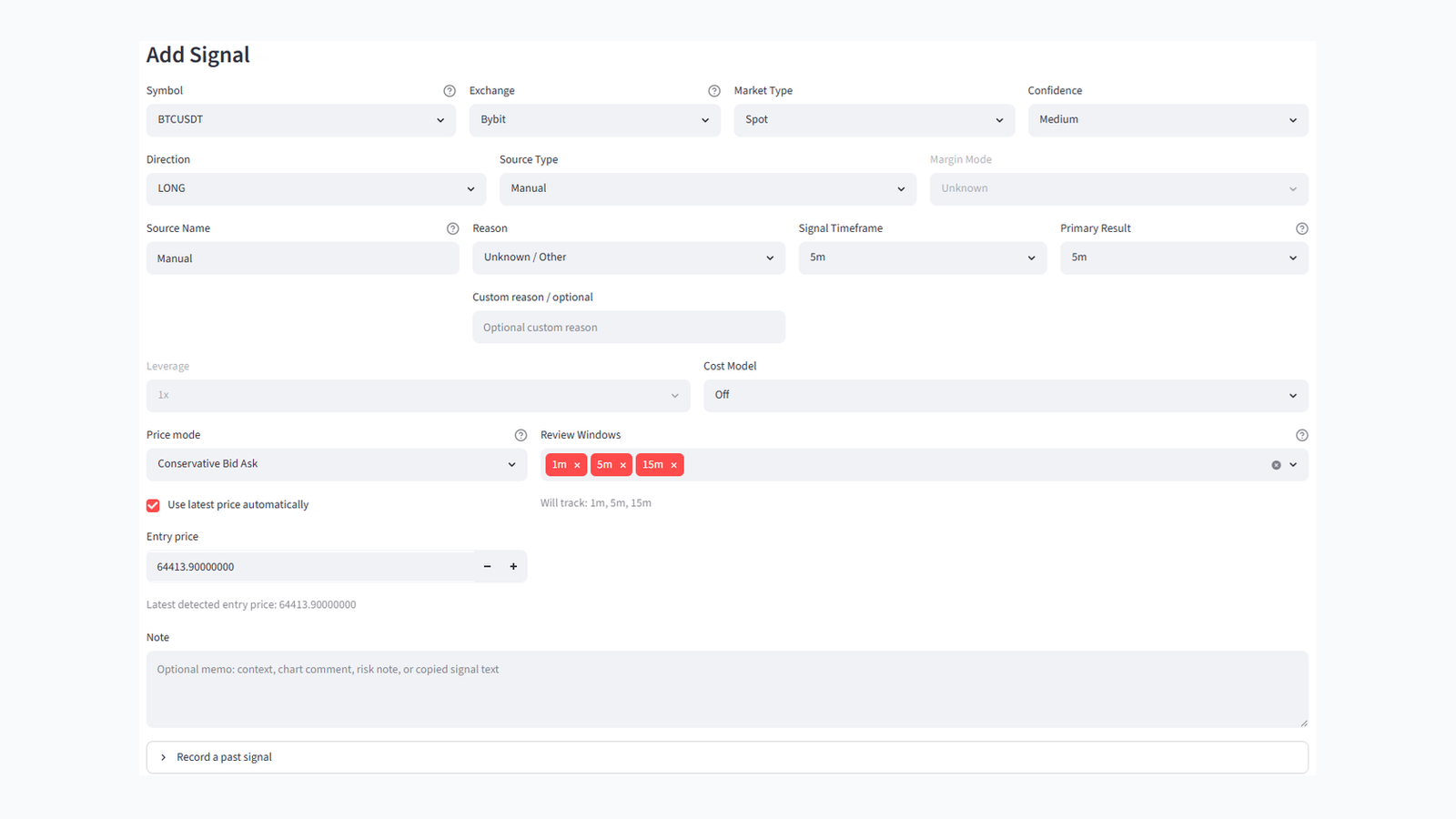
Save symbol, exchange, market type, direction, source type, source name, reason, timeframe, entry price mode, and notes.
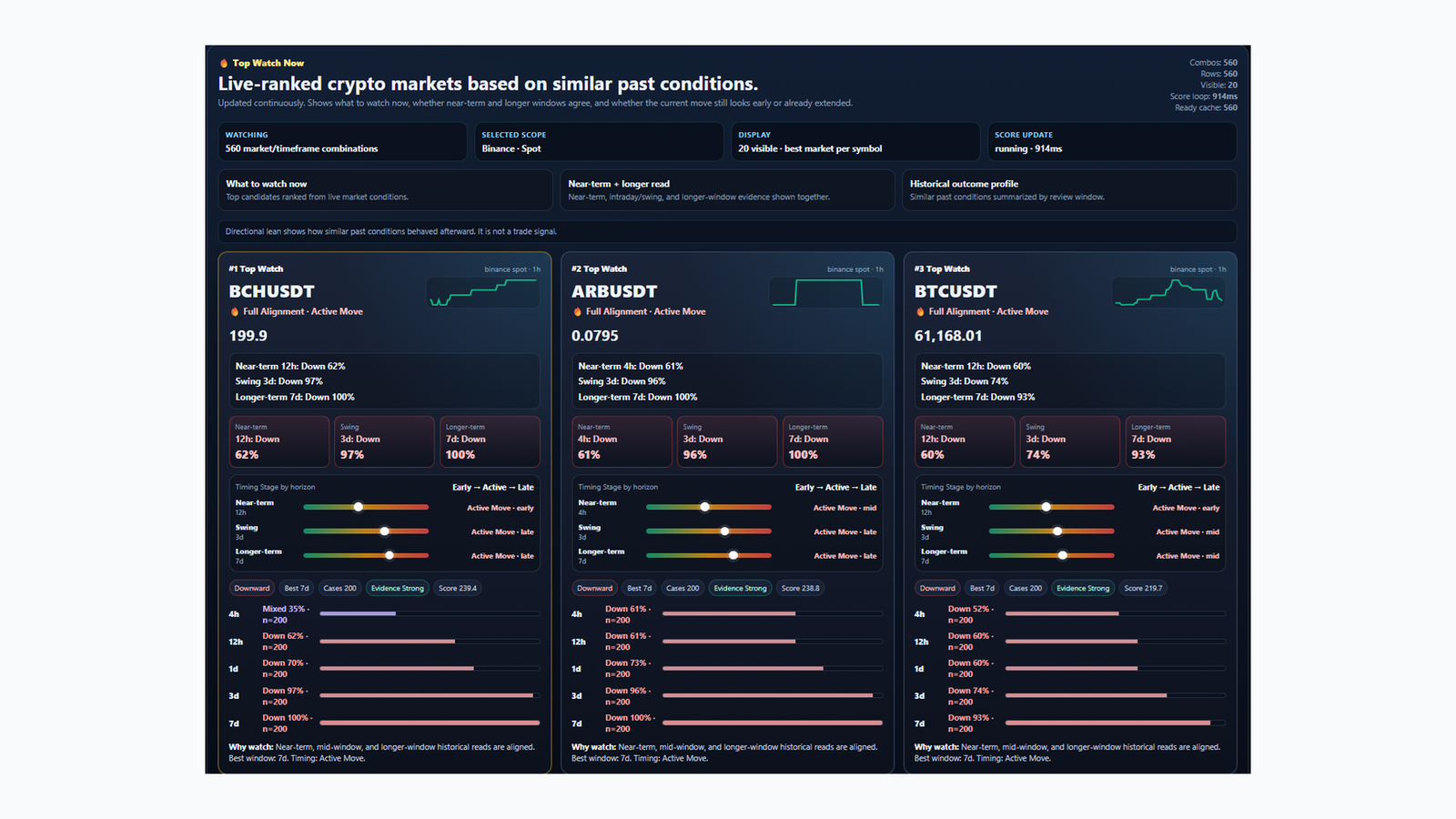
Review what happened after selected windows such as short checkpoints, minute windows, or user-entered custom windows.
Review which saved sources, reasons, directions, symbols, and windows showed different outcomes in your own records.
Inspect MFE, MAE, path status, verification labels, and data-source quality where local/public data supports it.
Use optional fee, slippage, leverage, funding, and risk-threshold assumptions for analytical review.
Work with local SQLite records, CSV exports, diagnostics, package docs, and a browser-based local dashboard.
Your signal records stay local.
QuantFlow is designed for local use. It stores user-entered signal records and review outputs on your PC.
Review source, reason, direction, coin, timeframe, and window-level outcomes from the notes you recorded.
Core workflow
Run
START_QUANTFLOW_APP.bat. The dashboard opens in your browser using a local URL.Enter the source, symbol, direction, reason, timeframe, review windows, and optional cost/risk assumptions.
Keep the app running until the selected windows pass, then refresh completed result rows.
Use Saved History, Outcome Explorer, and Pattern Ranking to review sources and repeated patterns.
Included in the package
| Area | Included |
|---|---|
| Local launcher | START_QUANTFLOW_APP.bat, status and stop scripts, local browser dashboard workflow. |
| Record tracking | User-entered market notes, source labels, reasons, direction, timeframe, review windows, and notes. |
| Analysis views | Saved History, Outcome Explorer, Pattern Ranking, Import / Export, Price Cache, and How to Use. |
| Storage | Local SQLite records and CSV-style export workflows for user review and auditing. |
| Documentation | User guide, app mode guide, package manifest, license/EULA, and product-boundary notes. |
What it does not do
It does not place orders and does not connect to exchange accounts.
It is a local record and review tool, not a signal provider or investment adviser.
Historical review outputs are not guarantees of future results.
The package is licensed for personal local use only under the EULA.
Important product boundary
Estimated Net PnL, MFE/MAE, risk-threshold distance, risk-threshold used, and path status are analytical review estimates. They are not exact exchange liquidation, fee, funding, or account settlement values.
QuantFlow is intended to help you keep structured historical records of market notes and alerts you already observe. It does not tell you what to buy or sell.
Preview the documentation
The main guide is included in the downloadable package. This landing page summarizes the public-facing workflow.
Open APP_MODE_README.html
Open LICENSE_EULA.html
Open PACKAGE_MANIFEST.html
Compare App Edition and Trader Edition
Both Gumroad and Lemon Squeezy checkout options are listed above.
The app runs locally on Windows through the included launcher package.
Record signals. Review outcomes. Compare saved sources.
Choose the ready-to-run app package or the source-included package.
Digital product sales are final after delivery/download except where required by applicable law or platform policy.